Voice charting
Say it. It’s on the chart.
Dictate your findings in English, Hindi or Gujarati while you work. Odontra drafts the tooth chart, you check it, and the treatments you choose flow into the plan — with prices. Your voice charts the gums and writes the visit notes, too.
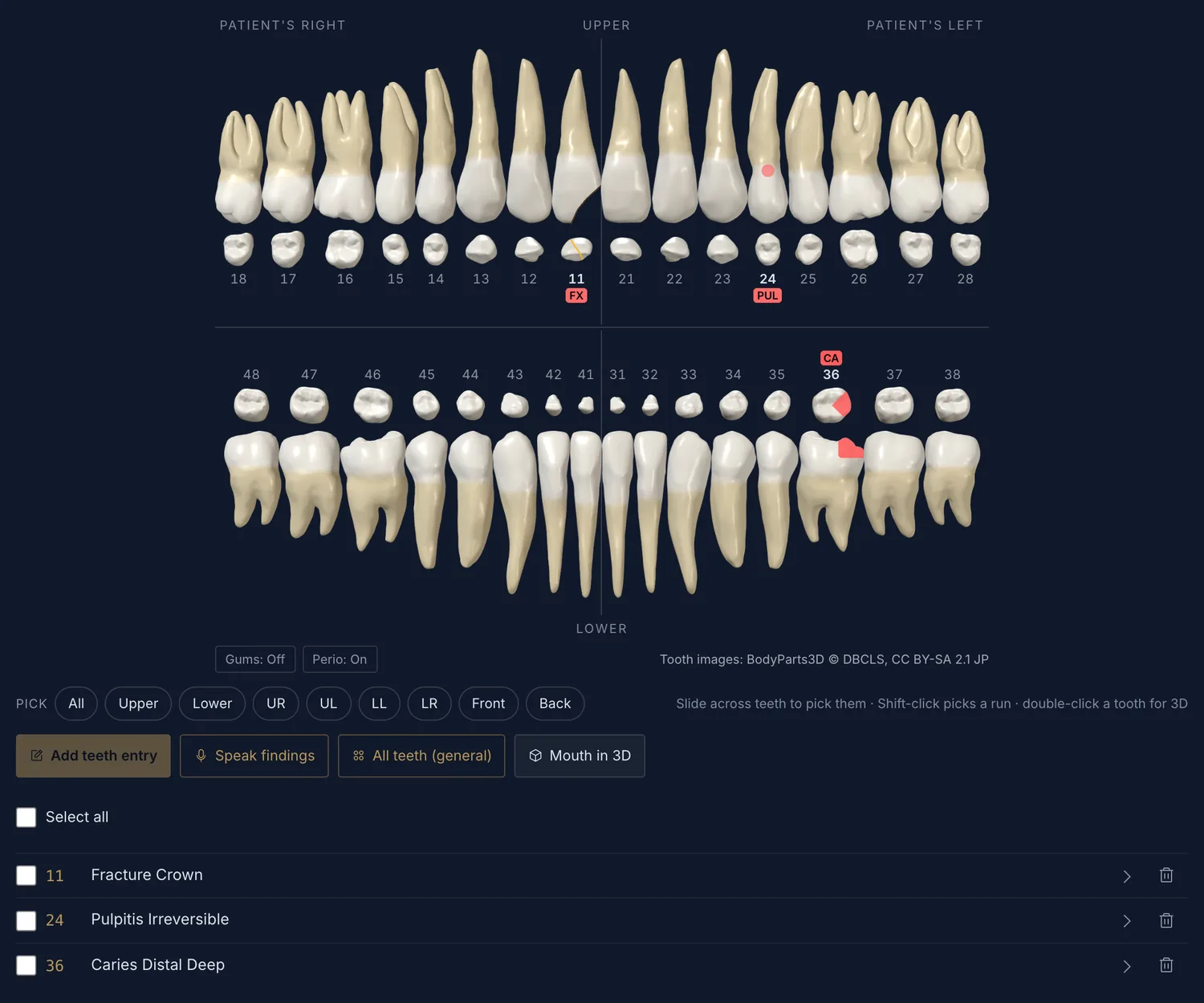
“36 number me deep distal caries hai. 24 me irreversible pulpitis. 11 ka crown fracture.”
How it works
Four steps. You stay in charge of every one.
Click a step, or let it play. These are the real screens, from speaking to a priced plan.
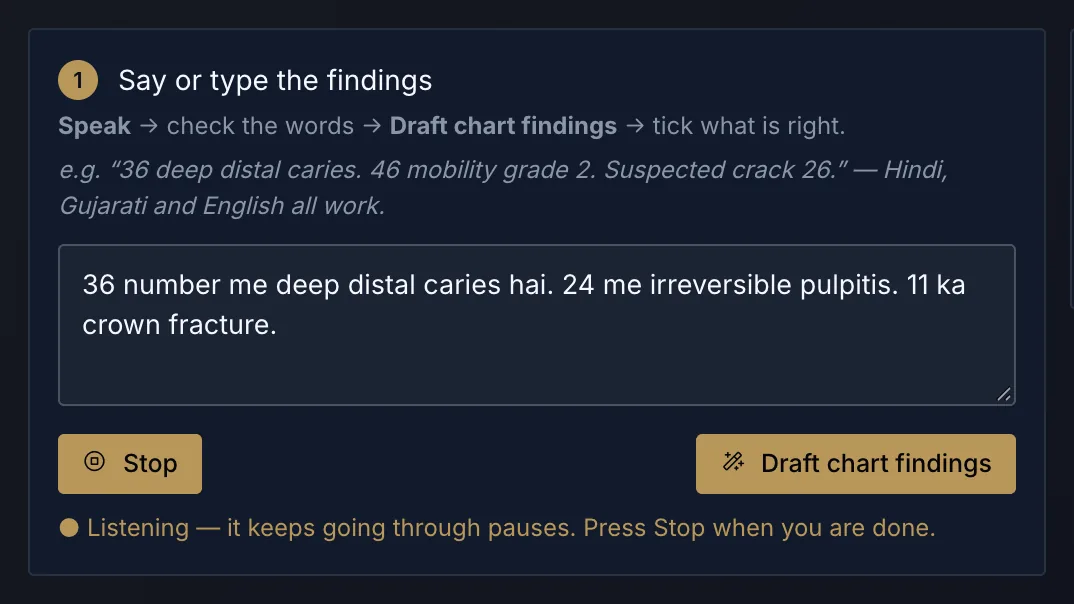
“36 number me deep distal caries hai. 24 me irreversible pulpitis. 11 ka crown fracture.”
Step 01
Just say what you see.
Tap the mic and talk while you examine — English, Hindi, Gujarati, or a mix. A floating mic on every screen keeps your notes for the open patient, so your hands stay on the patient.
Step 02
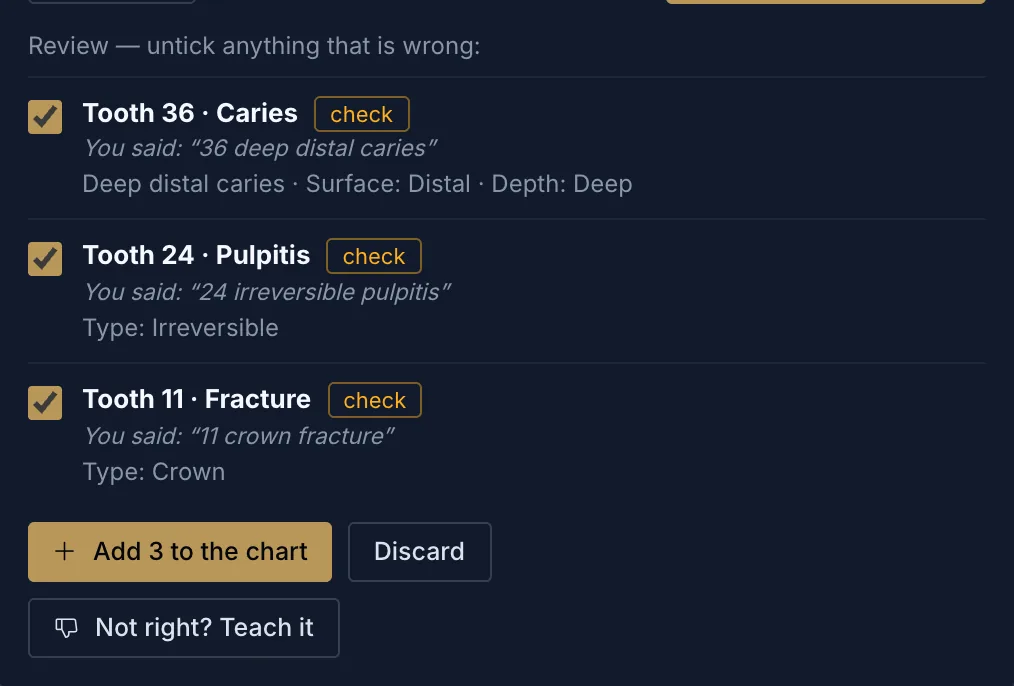
Odontra drafts each finding.
It reads your words and lists every finding — tooth, condition, surface, depth — next to what you said. Untick anything wrong. Nothing reaches the chart until you press Add.
Step 03
The chart fills itself.
Findings land on the right teeth and in the diagnosis summary. For each one you choose the treatment from your own list — a tap, or type your own. Odontra AI can show a suggestion from your list as a marked chip with its reason; it reaches the plan only if you tap it.
Step 04
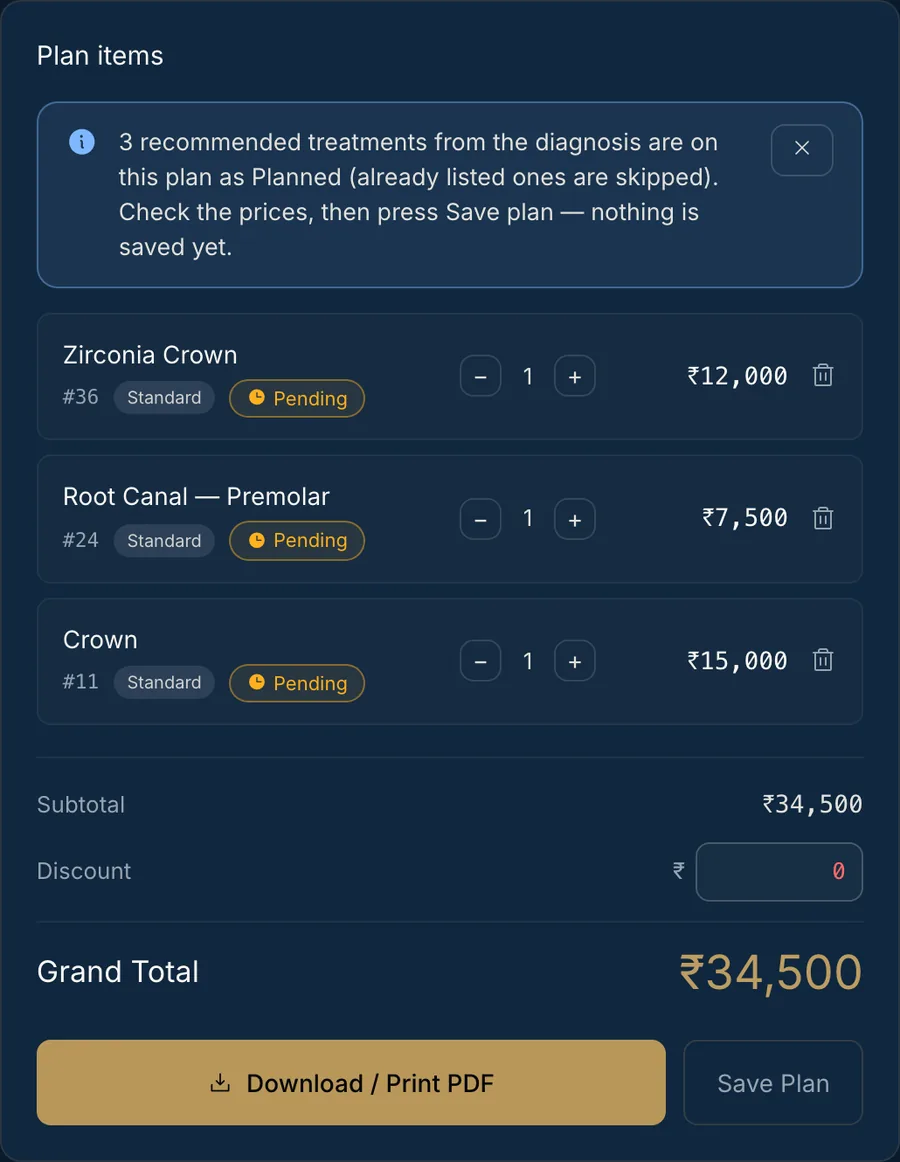
One tap to a priced plan.
The treatments you chose go to the treatment plan with your own price list. Check the prices, adjust, and Save — nothing is saved until you do. Then print it or send it on WhatsApp.
What it never does
Built to assist the doctor — never to decide.
Clinical judgement is yours. Odontra is deliberately limited to the part a machine does well: turning your words into structured findings.
Never decides treatment
It drafts findings — tooth, condition, surface, depth. You pick the treatment from your own list; a suggestion is only a marked chip.
Never saves on its own
Findings reach the chart when you press Add. The plan is saved when you press Save. Not before.
Never sees who the patient is
Names and phone numbers are removed before your dictation reaches the AI.
Never switches itself on
The AI assistant stays off until the doctor turns it on for the clinic.
More than findings
Your voice charts the gums and writes the notes, too.
Two more things the same microphone does — each one a draft you check, nothing saved or sent until you press the button.
Voice perio
Chart the gums without a hand free.
Open the periodontal chart, press Voice and say the readings as you probe. The next site is outlined, so you always see where the number goes.
- —“3 2 3” fills three sites — “bleeding”, “plaque”, “pus” mark the site just said
- —“Recession”, “minus 2”, “tooth 26”, “palatal”, “mobility 2”, “undo”
- —The usual probing route, missing teeth skipped
- —Hindi and Gujarati numbers work too
Visit notes
One conversation, three documents.
Record the visit once. Odontra drafts the clinical note, the patient’s summary and — only when you refer — the referral letter.
- —A SOAP note added to the report’s clinical notes
- —A summary for the patient in the language they spoke, sent on WhatsApp
- —A referral letter on your letterhead when you refer
- —The plan is only what you said — it never suggests treatment
Voice, everywhere
A floating mic on every screen.
Keep one hand on the patient. Tap the mic from any screen and your notes are kept for the patient who is open — ready to add to their report when you are.
- —Dictate while you examine, not after
- —Notes stay with the patient who is open
- —Add them to the report when you are ready
- —Works in the browser on a clinic computer, tablet or phone
Hear it for yourself.
Book a demo and dictate a case on a live demo clinic.