Why Odontra

Built around a real visit.

Odontra is built around what happens when a patient walks in — and around how Indian clinics actually work: WhatsApp, UPI, three languages, and a doctor who often does several jobs at once.

Ten things to ask

Don’t take our word for it. Ask every vendor these ten questions.

We have not compared every product, so we will not claim to be the only one. Each answer below is about what Odontra does today — and every one can be shown live in a demo.

01

One guided visit

Does it guide the whole visit — or only store the record?

The front desk marks a patient arrived, the doctor sees “Here now” and starts the visit, and a bar follows the doctor across every screen: history, examination, X-ray, plan, consent, treatment, prescription, payment, next visit, finish. One big button for the next step; the small jobs open as pop-ups.

See the visit guide
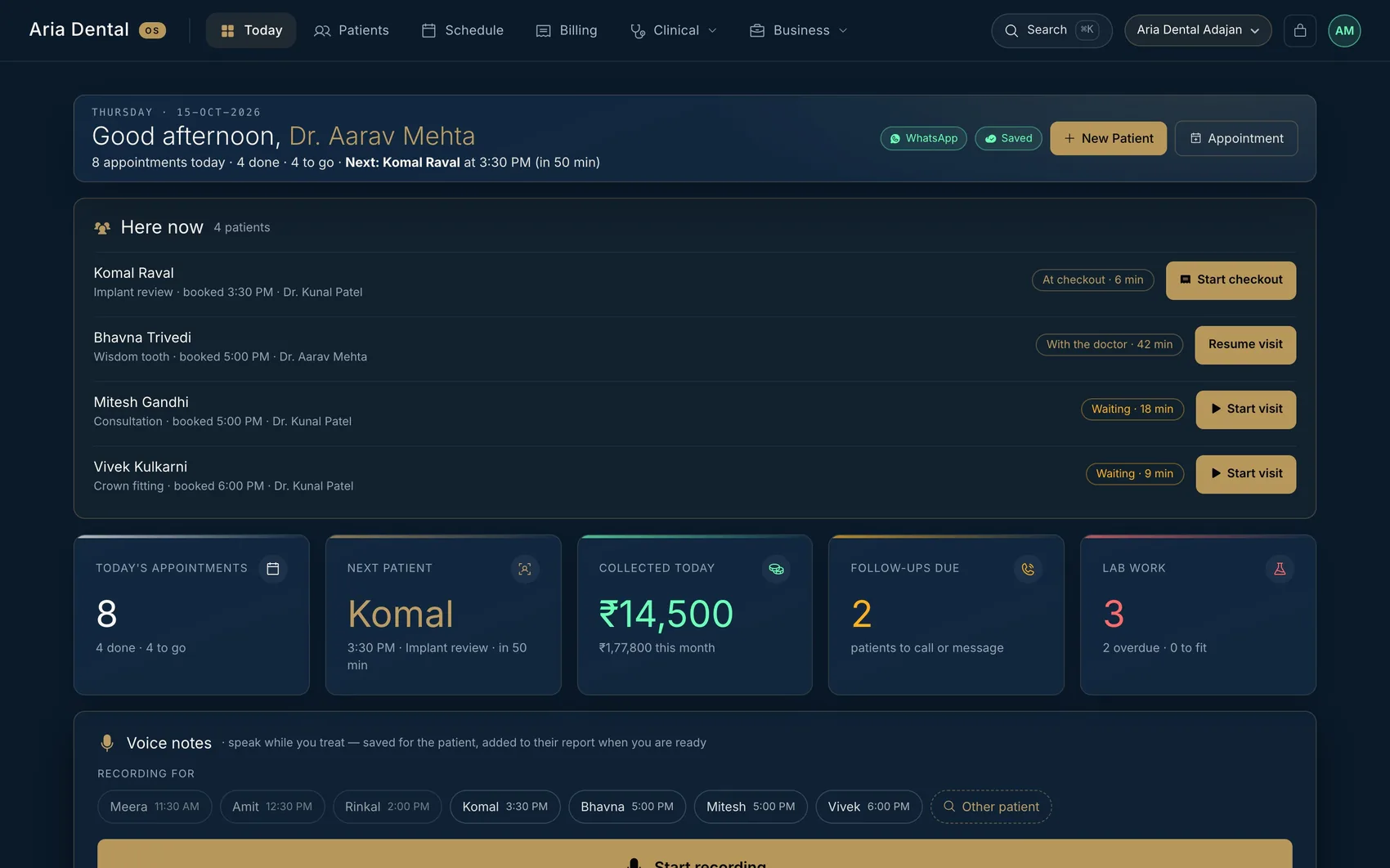
The Odontra home screen with a “Here now” list: patients waiting, with the doctor, and at checkout
02

Safety before work

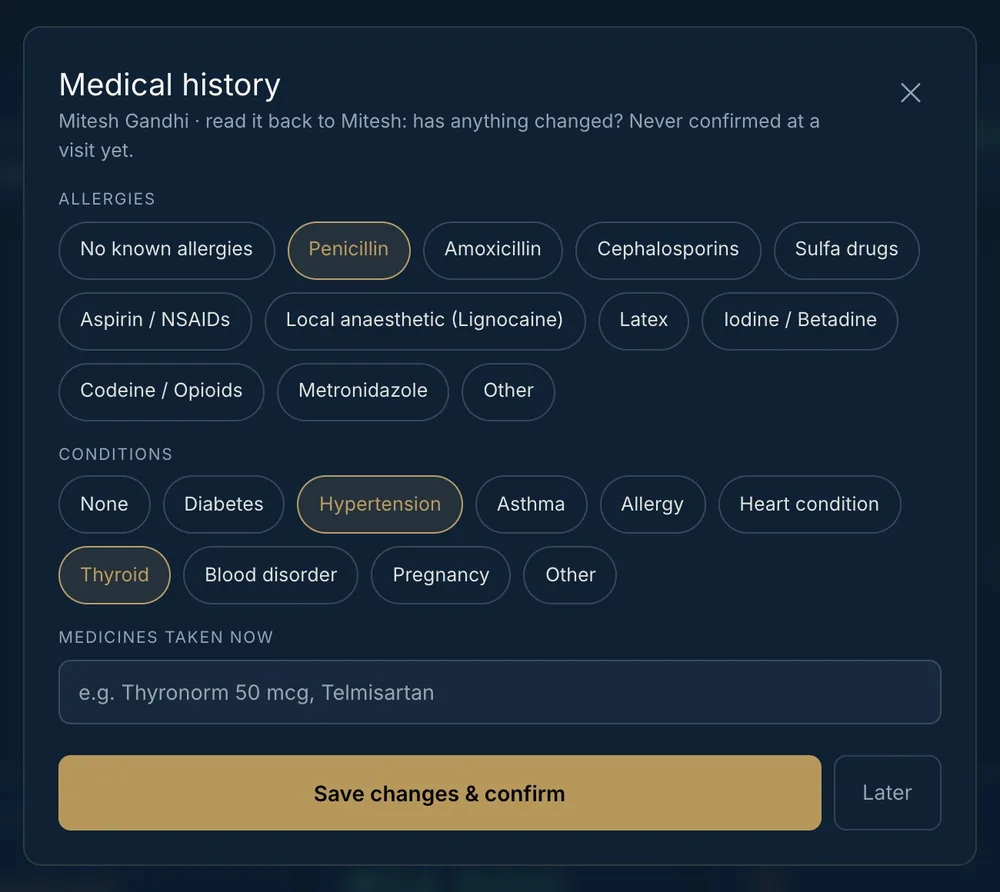
Does it read the allergy history back and check consent for the procedure?

Before treatment the doctor reads the allergies, conditions and medicines back to the patient and confirms them. Consent is checked for the procedure being done — a root canal is not covered by an old extraction form — and the missing form opens straight away.

See the safety checks
The medical history pop-up: allergies, conditions and medicines to confirm
03

Next visit before they leave

Is the next visit booked before the patient goes home?

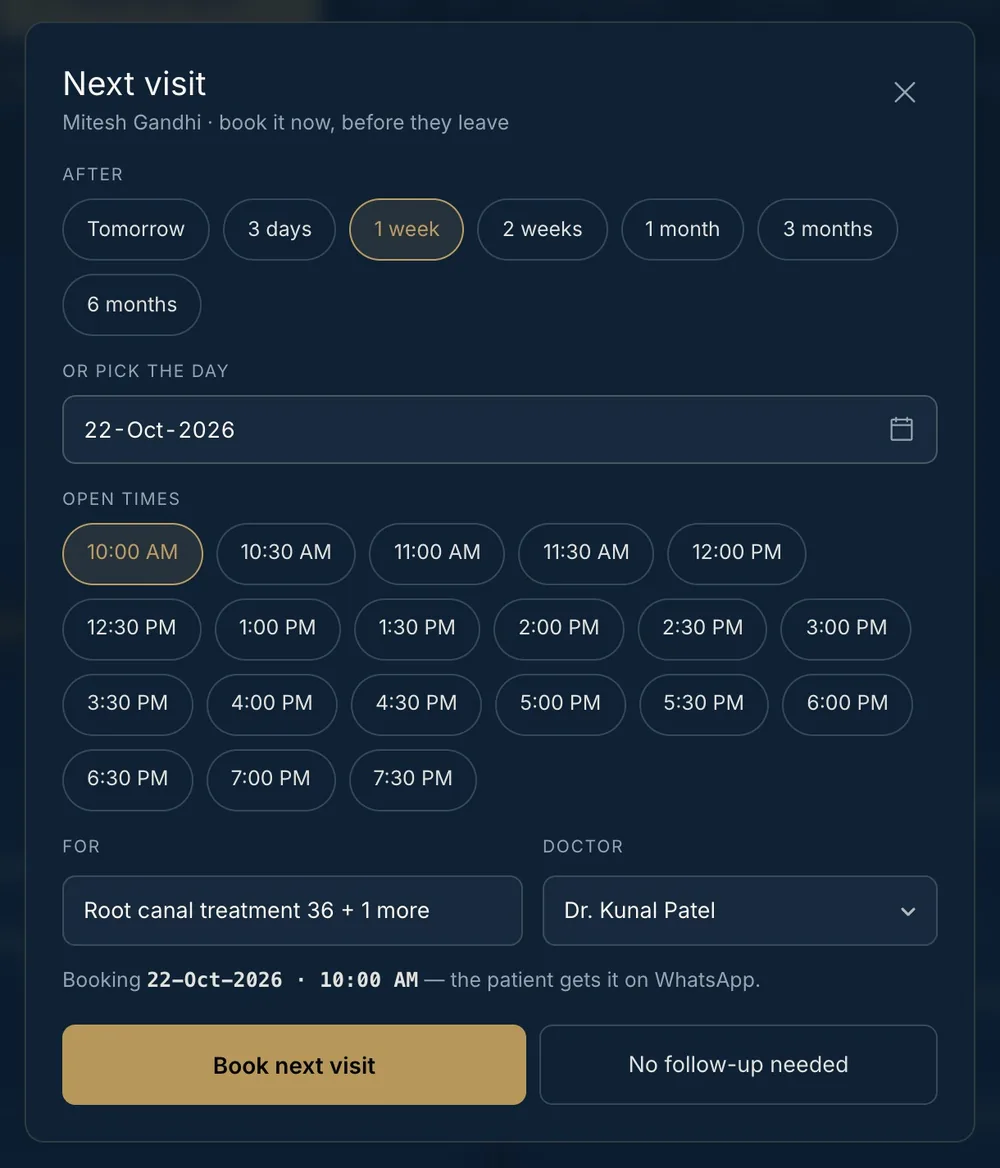
The next visit is one tap — a week, a month, six months — with only open times offered and the reason filled from the work still to do. The patient is told on WhatsApp if they agreed to messages.

See how it books
The next-visit pop-up with a week, a month and six months, and the open times of the day
04

Documents on WhatsApp

Does the prescription, receipt and care sheet reach the patient as the visit ends?

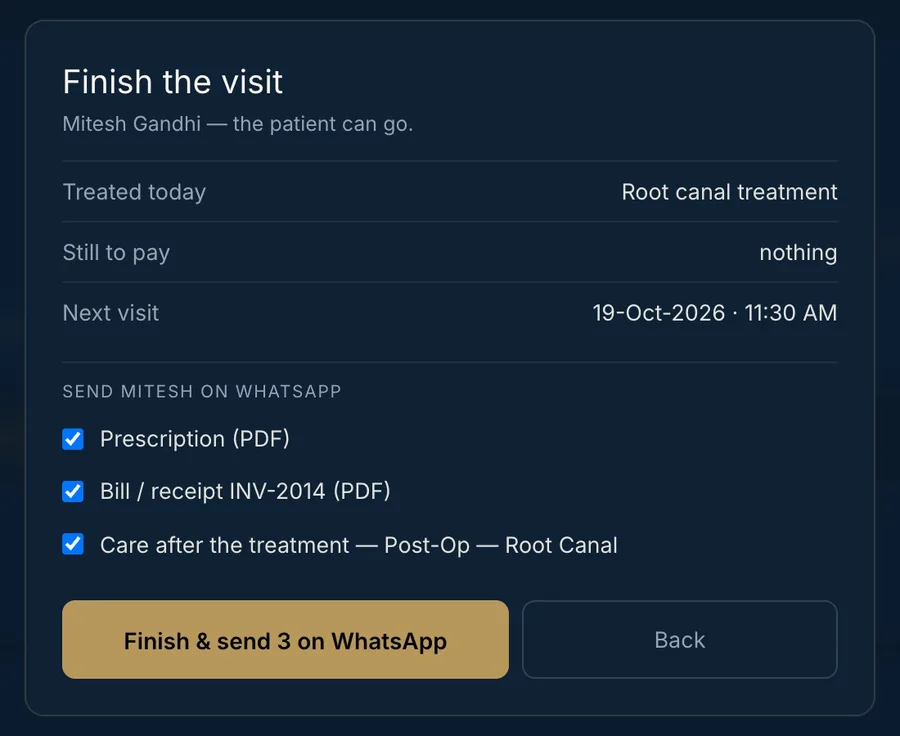
Finishing a visit can send the prescription, the receipt and the care sheet for what was done — as PDFs on WhatsApp, in one tap, to patients who agreed to messages.

See the messages
The finish-visit pop-up: treated today, nothing to pay, next visit, and three documents to send on WhatsApp
05

WhatsApp that works for you

Do reminders go out on their own — in the patient’s language, from your own number?

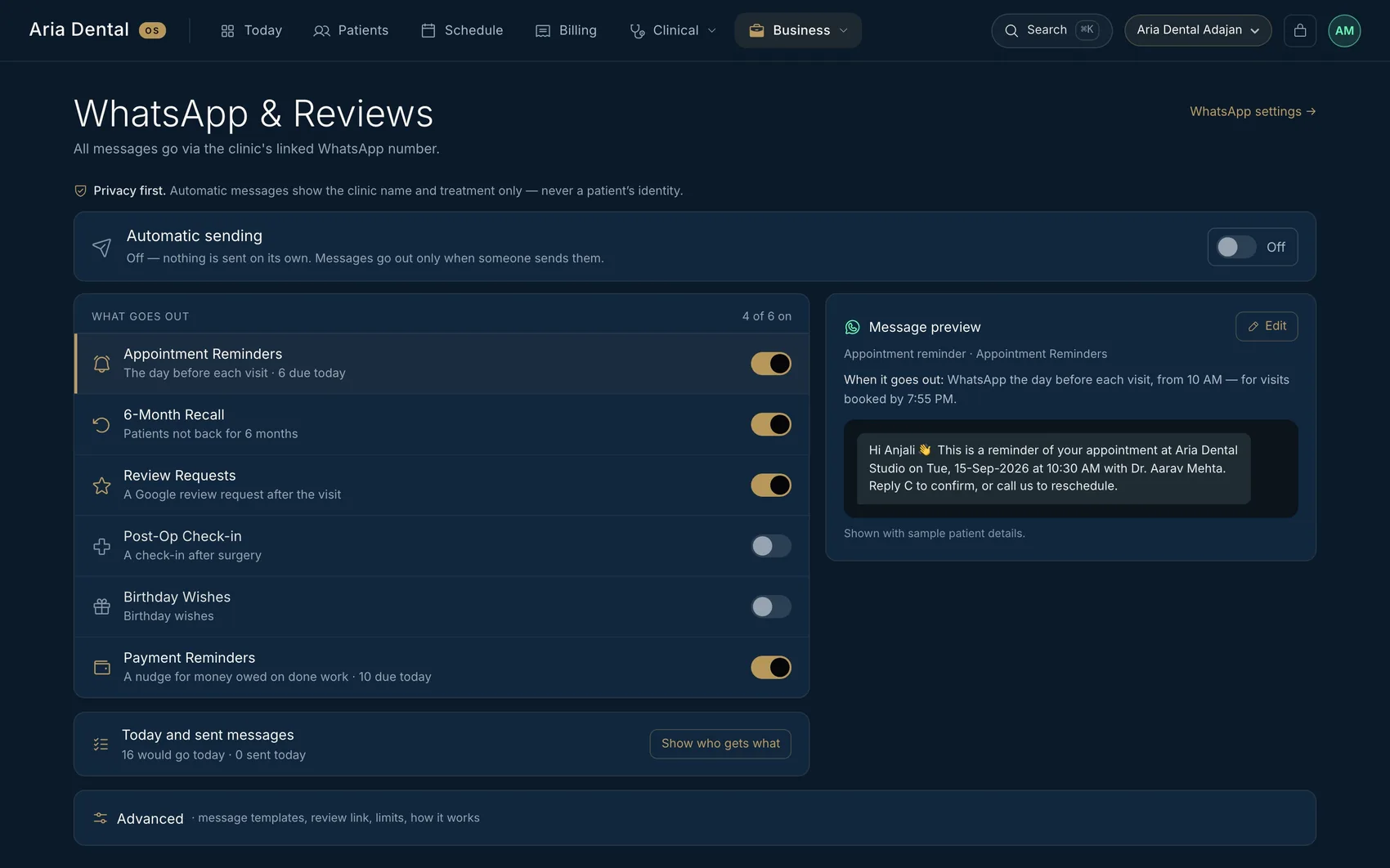
Seven automatic messages — reminders, six-month recall, review requests, post-op check-ins, birthdays, payment reminders and aligner changes — each with its own switch, sent from the clinic’s own WhatsApp number in English, Hindi or Gujarati, only in clinic hours. Nothing goes out until the doctor switches it on.

See all seven
The Automation screen: each automatic message with its own switch and a preview of what the patient receives
06

Voice charting in your language

Can the doctor speak the findings and have the chart fill?

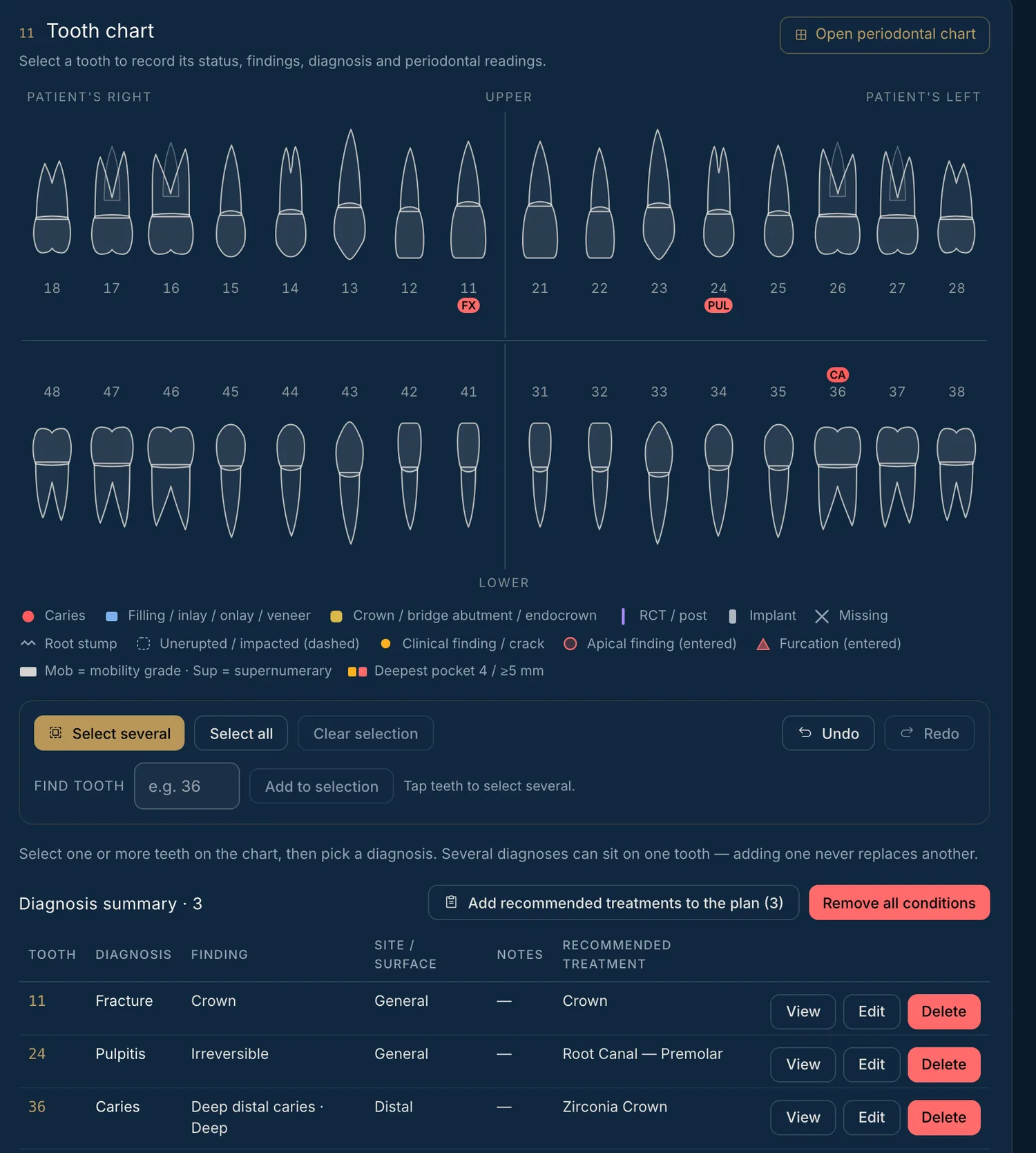
Dictate in English, Hindi or Gujarati. Odontra drafts each finding, you tick what is right, and the chart and plan follow. It never suggests treatment, and names and phone numbers are removed before dictation reaches the AI.

See voice charting
The tooth chart marks fractures, pulpitis and caries each on its own tooth, filled from the doctor’s dictation
07

Made for orthodontics too

Does it handle aligner courses and braces batches?

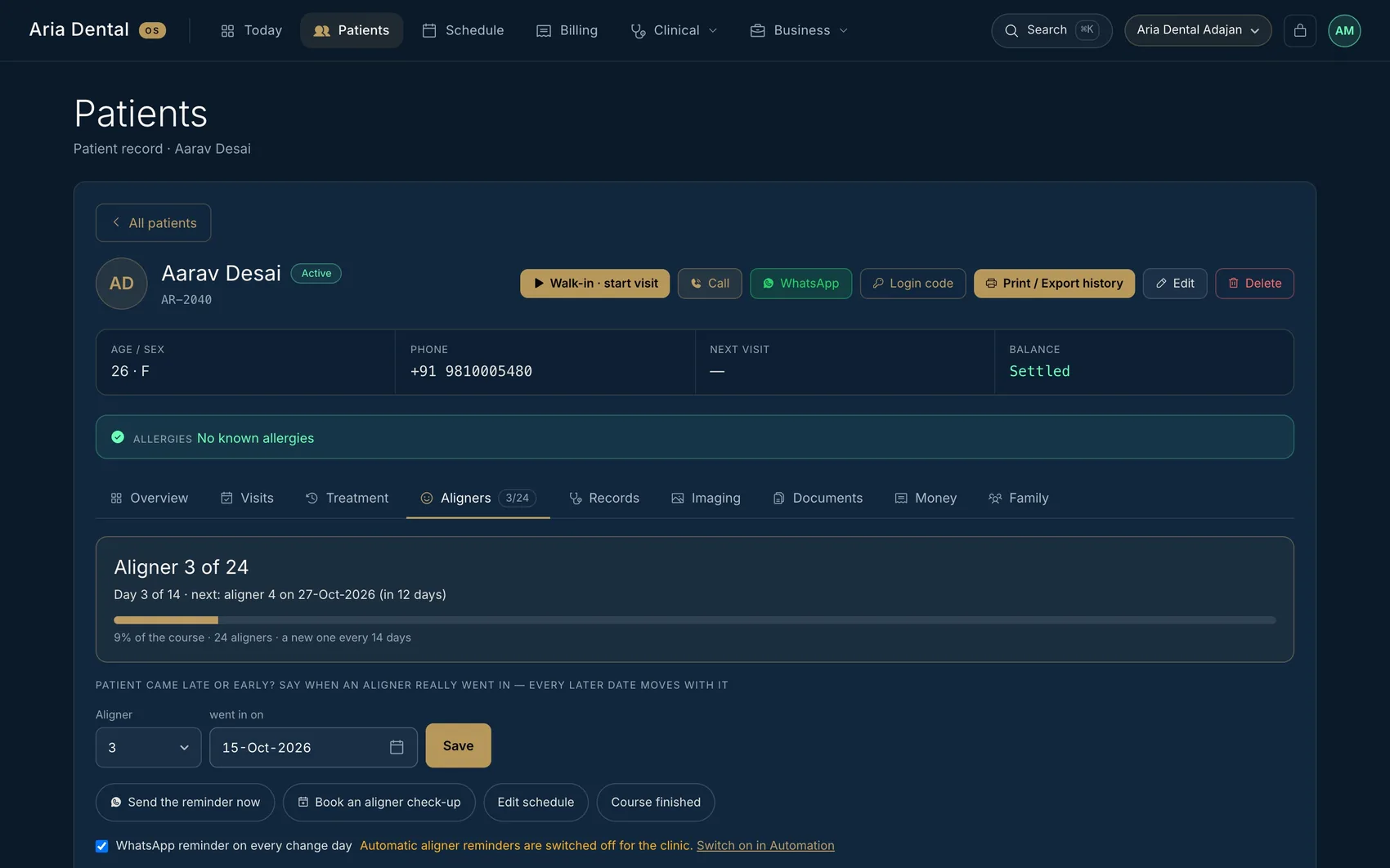
An aligner course is set once — how many, when the first went in, days per aligner — and every change day is worked out, with a WhatsApp reminder. Braces patients can be grouped into a batch, and one tap gives the whole batch its appointments, one after another on free chairs.

See aligners and batches
The Aligners tab: aligner 3 of 24, the next change date and a progress bar
08

A patient app under your name

Is there a patient app under the clinic’s own name — with no download?

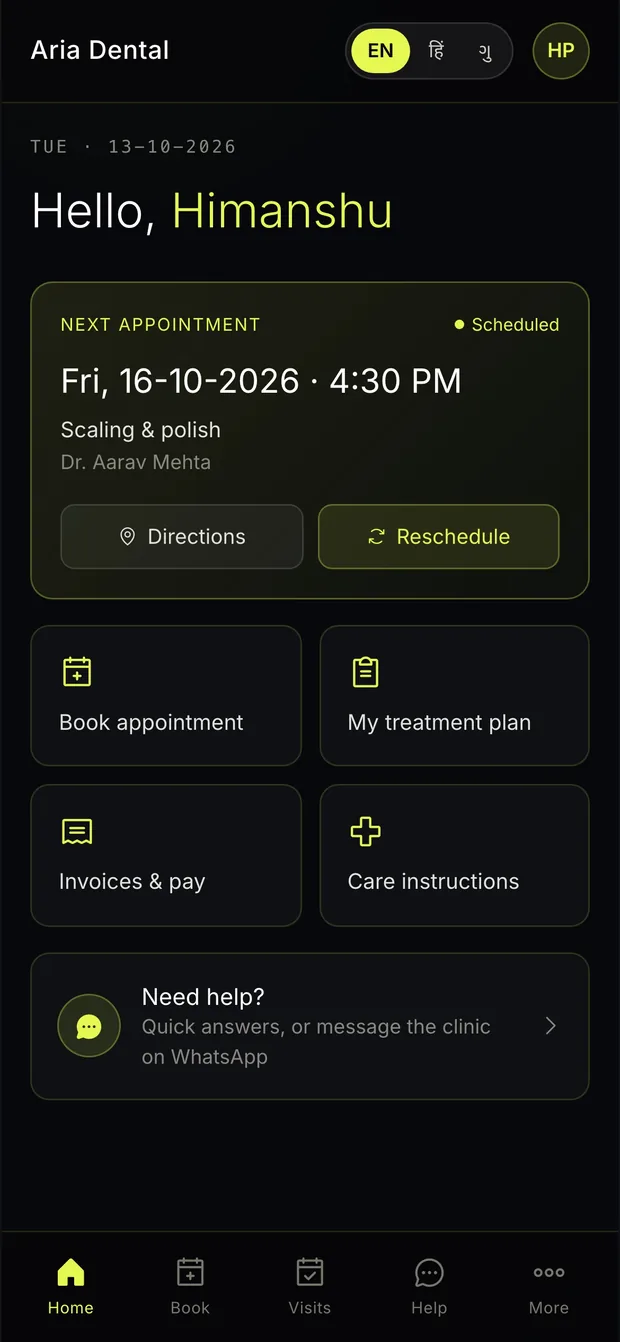
Patients open the clinic’s own address on their phone, sign in with a WhatsApp code, and book, see plans, prescriptions and bills, view the X-rays you choose to share, and join a video consultation when you offer one. It carries your clinic’s name and logo — not ours.

See the patient app
The patient app home screen on a phone
09

UPI and money you can trust

Can patients pay by UPI, with part-payments and a record of every change?

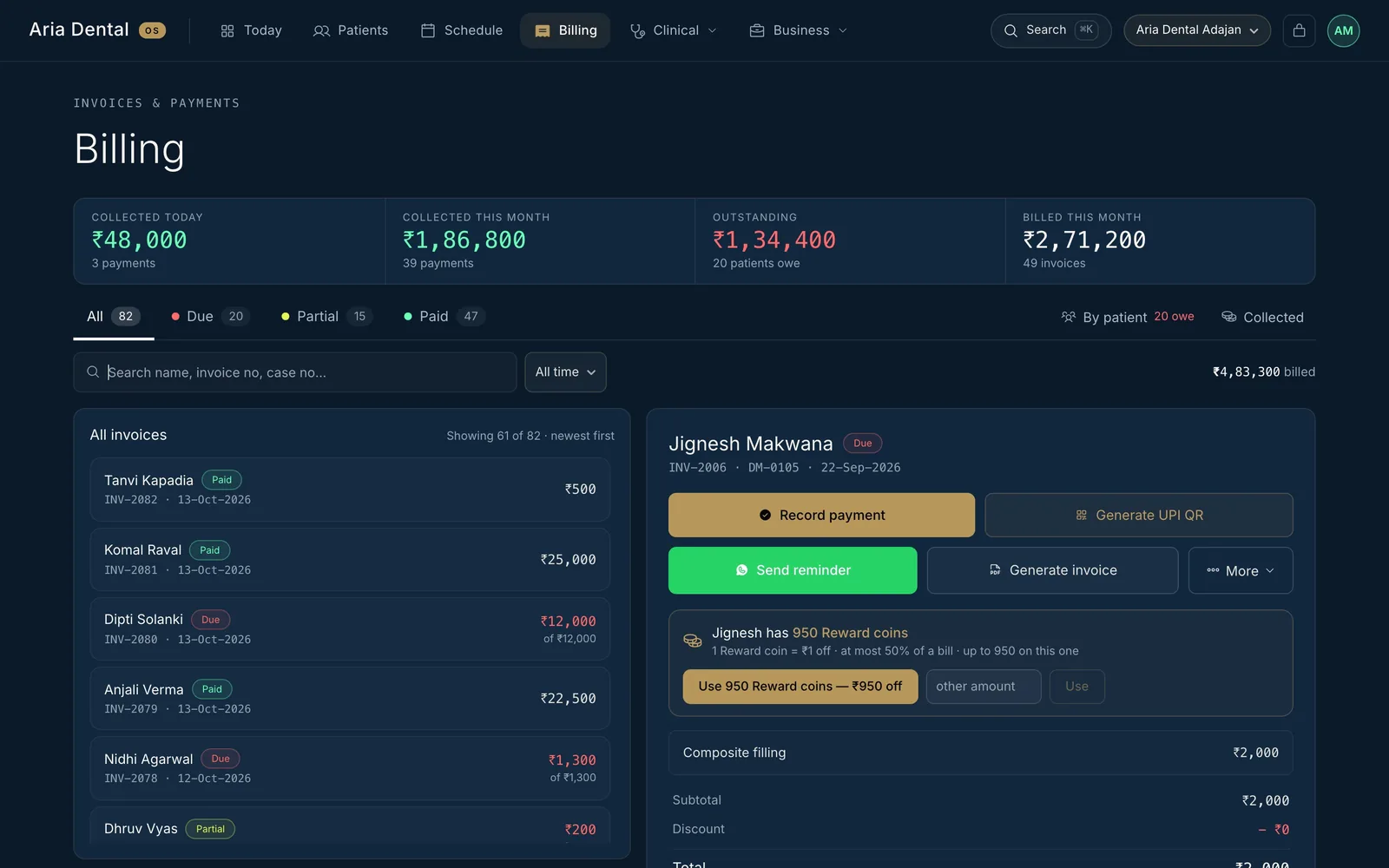
A UPI link and QR on the bill, part-payments with a clear balance, patients who can report a UPI payment from their phone for you to confirm, and a payment taken back is recorded with who, when and why. Coins from referrals are used at the bill.

See billing
An invoice with part-payment, balance due and a UPI QR button
10

Your own private system

Is the clinic’s data its own — separate from every other clinic?

Every clinic gets its own private system: its own database, address, name and logo, with roles for each person, an activity trail, daily restore points and a full export in open formats. Nothing is shared with another clinic.

See how it is protected
  • —A separate database for every clinic
  • —Five roles, each seeing only what it needs
  • —An activity trail of who did what
  • —Daily restore points
  • —One download with every patient, bill and appointment

Straight talk

We only say what is true.

We do not name other products and we do not say a rival cannot do something we have not checked. Take this page to any demo you book — ours or anyone else’s — and ask to see each of the ten. The answers will tell you more than any comparison table.