How Odontra works
See how a clinic runs on Odontra.
One patient, from the first WhatsApp message to the next check-up — on the real screens, step by step. Two minutes here, and you will know what the software does.
The walkthrough
Seven steps. One patient.
It plays by itself — click any step to jump, or pause it. Every screen is the real app, from a made-up demo clinic.
Step 1 of 7 · Any time, day or night
The AI front desk answers — in the patient’s language.
Rohan messages the clinic at 10 pm. Odontra AI replies in Hinglish, offers real free slots from your schedule and sends a booking request. It never confirms on its own and never gives medical advice.
Meet the AI Front Desk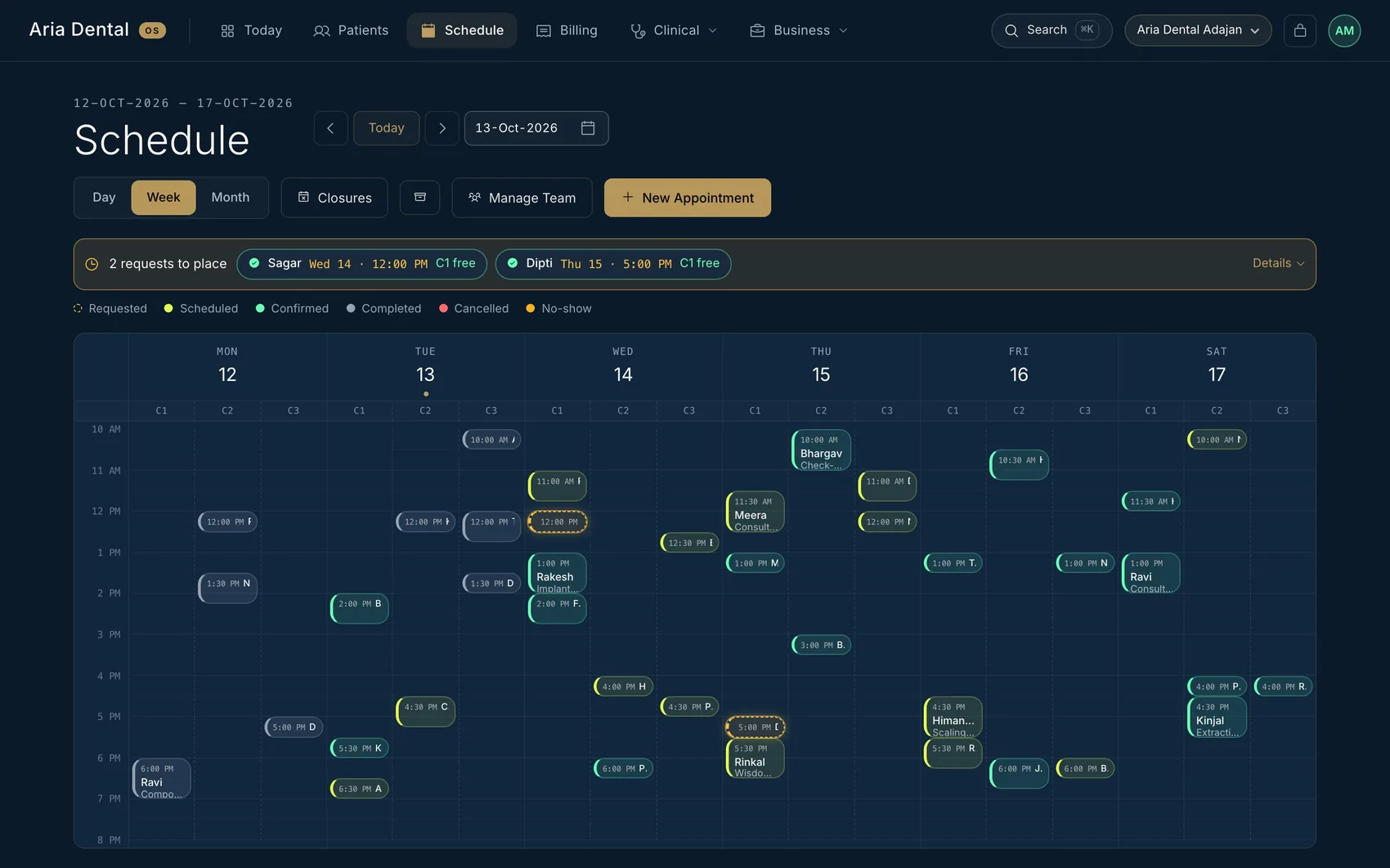
Step 2 of 7 · Next morning
The request waits in your schedule.
The booking request shows on the right chair in the week view. Approve it with one tap and the patient is told on WhatsApp. Decline or move it just as easily.
See the schedule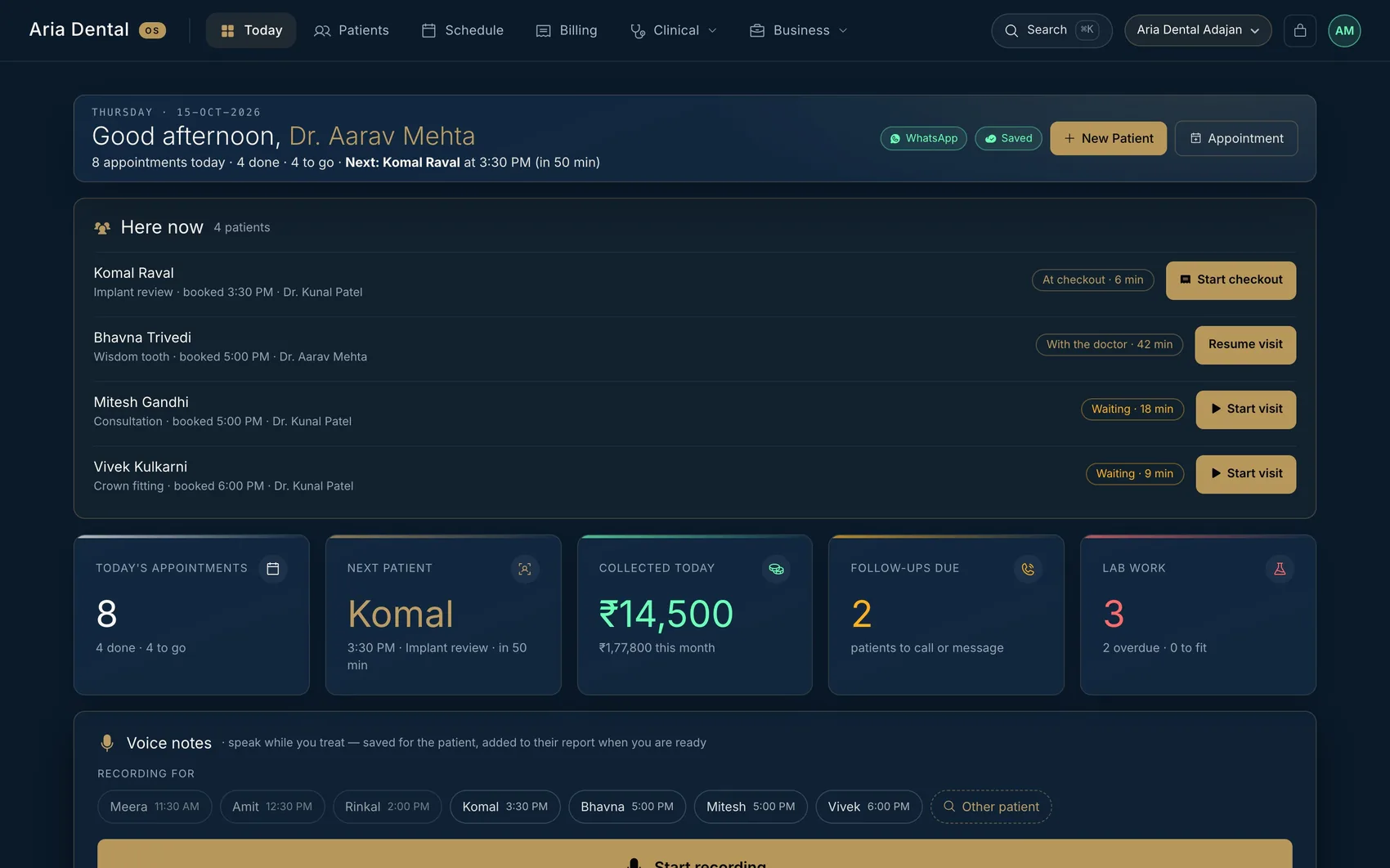
Step 3 of 7 · At the clinic
Who is here, and what comes next.
The front desk marks Rohan arrived. The doctor sees “Here now” with how long each patient has waited, starts the visit, and a guide bar walks through history, examination, plan, consent, treatment, prescription and payment.
See the visit guide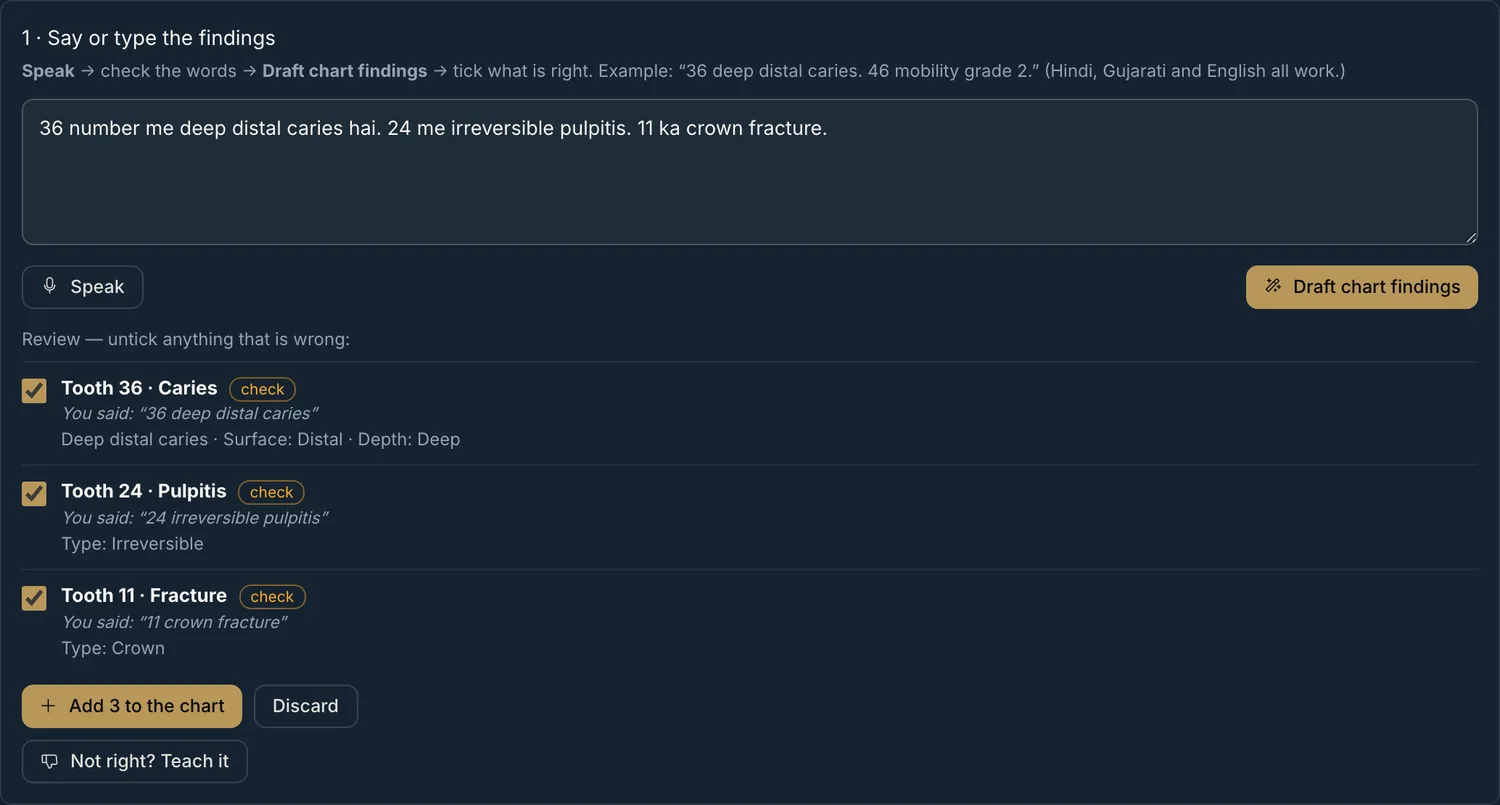
“36 number me deep distal caries hai. 24 me irreversible pulpitis.”
Step 4 of 7 · At the chair
Say the findings. Tick what is right.
Tap the mic and talk while you examine — English, Hindi, Gujarati or a mix. Odontra drafts each finding with the tooth and surface; you untick anything wrong, and only then does it reach the chart.
See voice charting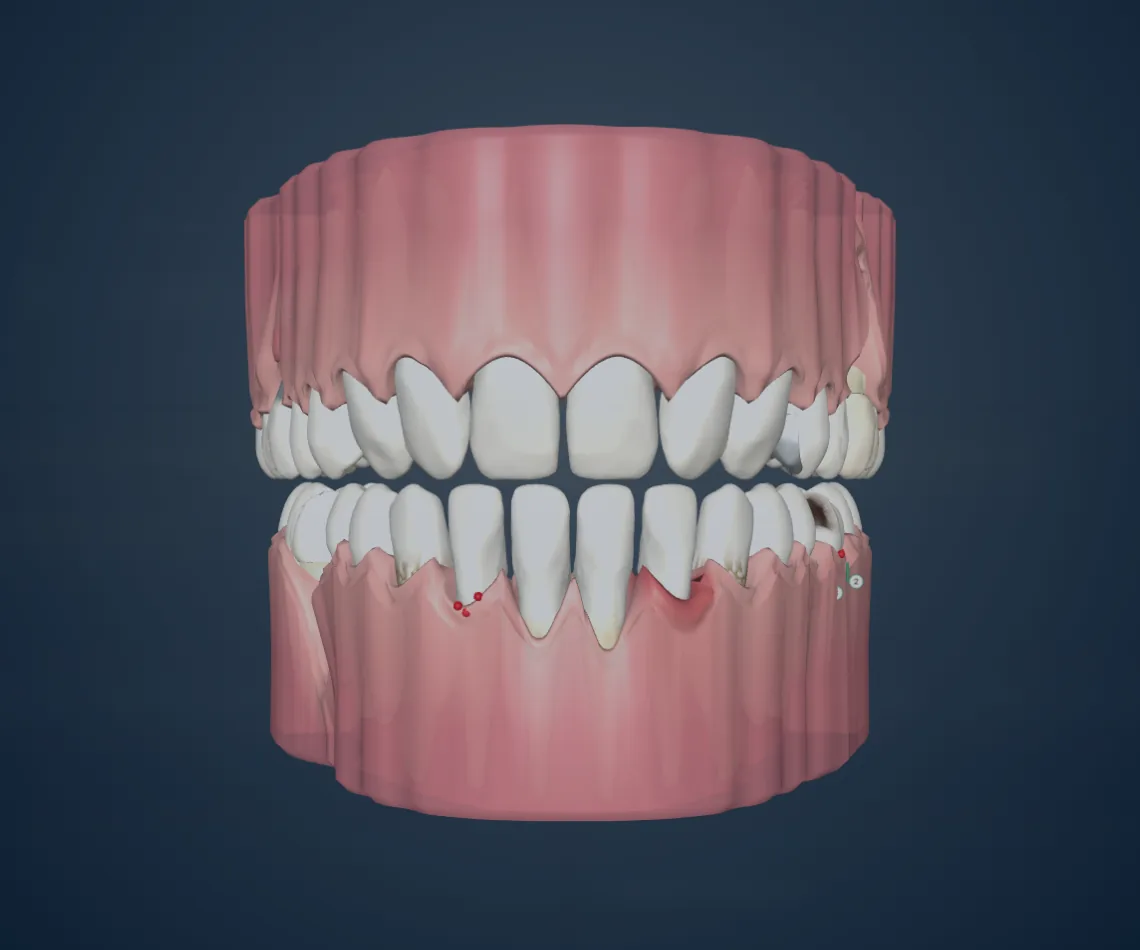
Step 5 of 7 · Talking to the patient
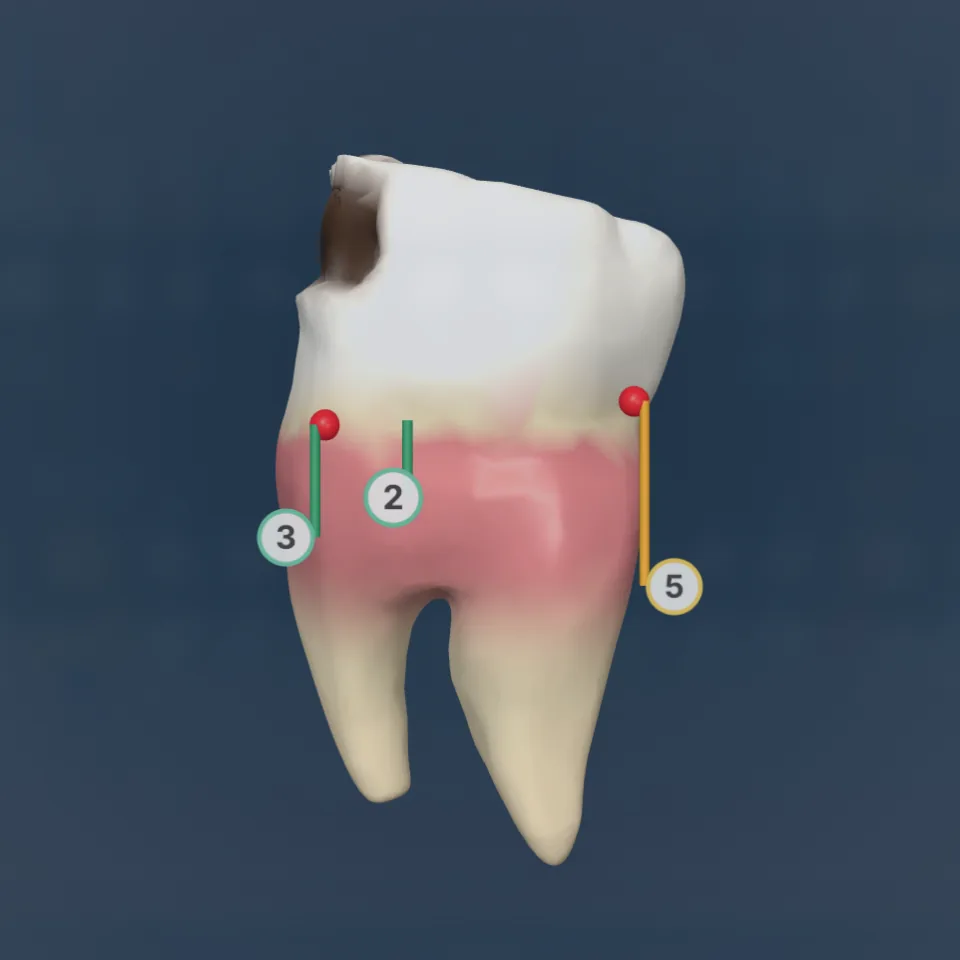
Show the patient what you see.
Open the whole mouth in 3D with the gum — caries, fillings, crowns, root canals, recession and bleeding drawn where you recorded them. Any tooth turns in 3D with a double-click. An illustration on typical tooth shapes, not a scan.
See the 3D tooth chart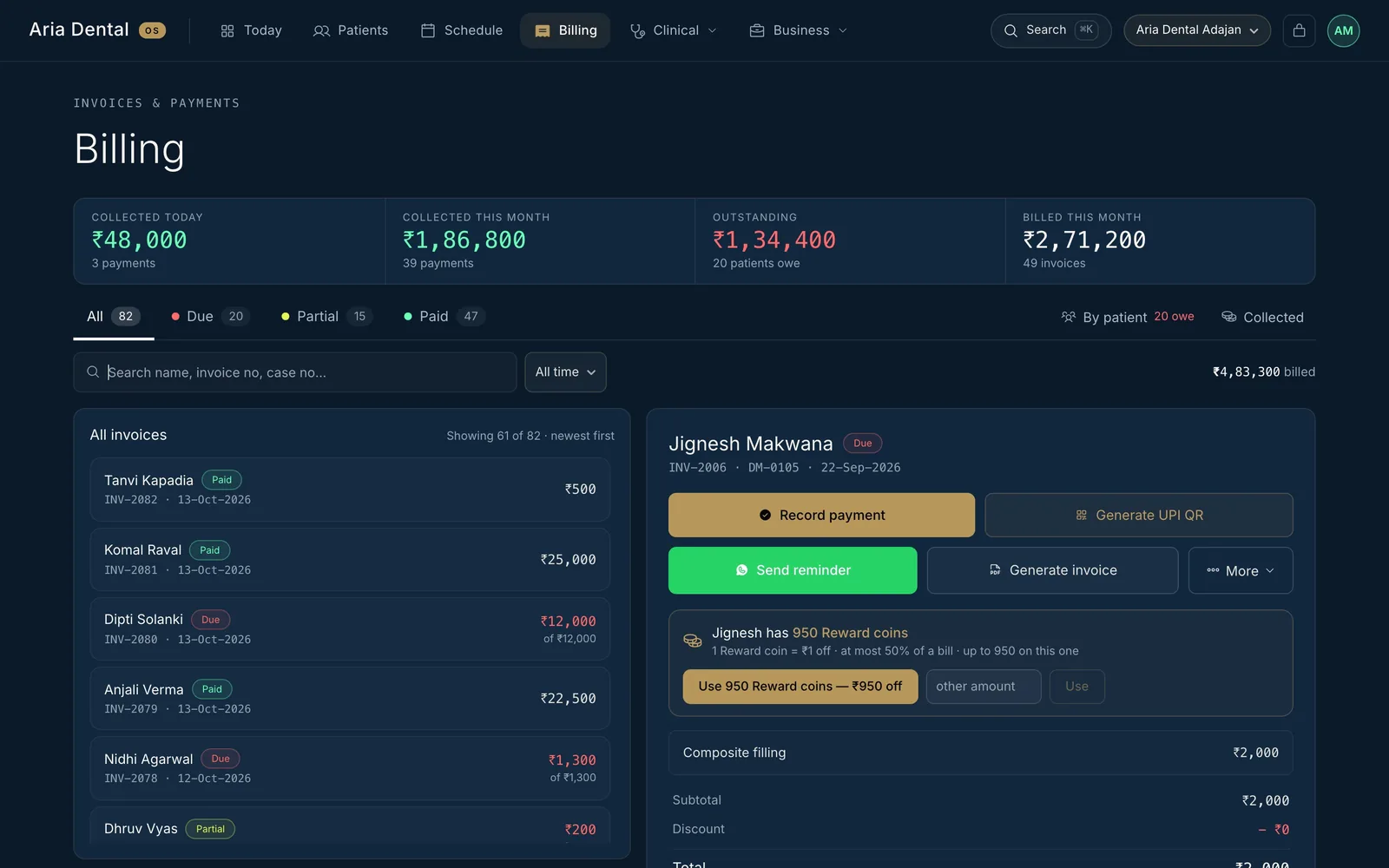
Step 6 of 7 · At the desk
A priced plan, then a bill that is always right.
The treatments you chose become a plan with your own prices — a quotation until the patient agrees. Billing follows the plan: part-payments, a UPI link or QR, and a balance that is always right. Prescription, receipt and care sheet go on WhatsApp at Finish.
See billing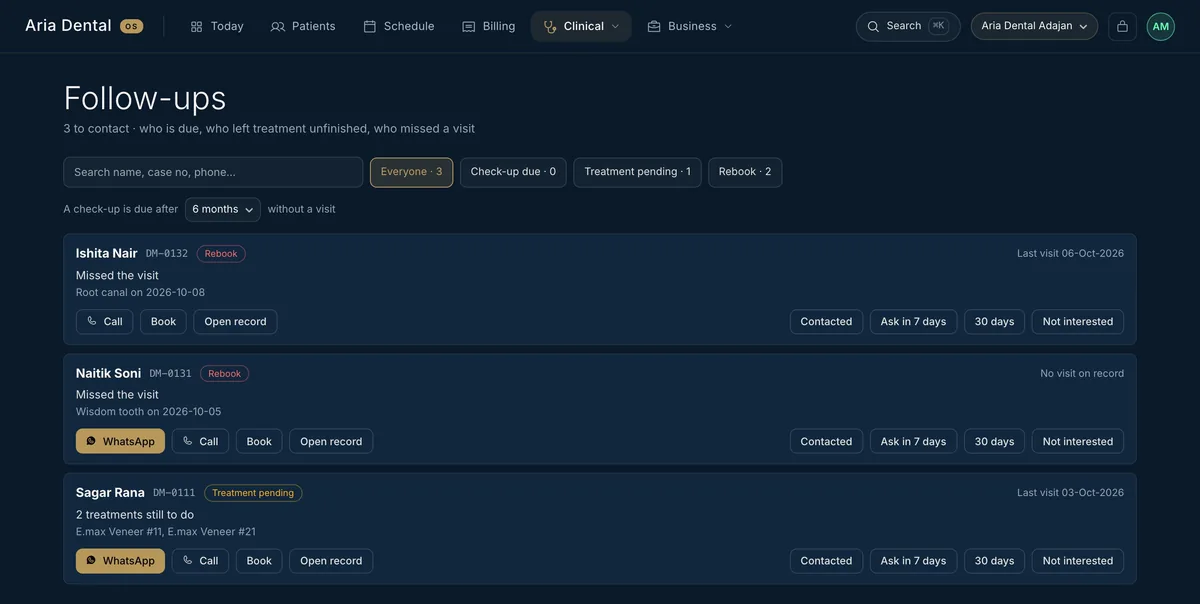
नमस्ते रोहन जी, आपकी क्लिनिक में आपकी अपॉइंटमेंट की याद दिलाना चाहते हैं: 12 नवंबर को शाम 5:30। कृपया पुष्टि के लिए “हाँ” लिखकर भेजें, या समय बदलना हो तो बताएं। धन्यवाद 🙏
Step 7 of 7 · Day before · weeks later
The follow-up happens by itself.
A reminder goes the day before each visit, in the patient’s own language — English, Hindi or Gujarati — only in clinic hours and only after you switch it on. Check-ups that fall due and unfinished treatment come back to your follow-ups list.
See the automatic messagesStart today
Your own clinic in three steps.
No card, no installation, no visit from anyone. The free trial makes your clinic for you.
Start the free trial
Type your name, clinic and email on the demo page. We email a 6-digit code — type it in.
Your clinic is made
Odontra sets up your own private clinic automatically. The sign-in link usually arrives within 10 minutes.
Make it yours
Add your chairs, team, treatment prices and logo, and switch on the WhatsApp messages you want. Everything is open for 14 days.
Who does what
Everyone in the clinic, on one system.
Each person signs in with their own login and sees the part of the day that is theirs.
The doctor
- “My work” for your speciality on the home screen
- Voice charting — speak, tick, done
- The 3D chart to show the patient
- Prescriptions with allergy and drug-clash warnings
- Every finding and plan approved by you
The front desk
- The week by chair, booking requests in one tap
- Mark arrived — the doctor sees who is waiting
- Bills with part-payments and UPI link or QR
- Follow-ups to call or WhatsApp in one tap
The owner
- Collected, owed and profit — with plain sentences on what stands out
- 13 clinic roles, each with its own access
- An activity trail of who did what
- Restore points and an encrypted backup every night
The patient
- Books on WhatsApp in their own language
- Gets a reminder the day before
- Sees plans, prescriptions and bills in the patient app
- Reports a UPI payment from the phone
Questions
Before you start.
The short answers to what dentists ask after the walkthrough.
How does Odontra work?
How long does it take to start?
Do I need to install anything?
Is it easy for my front desk to learn?
Can I bring my old patient records?
Which languages does it work in?
What happens after the free trial?
Try it on your own clinic.
Start a 14-day free trial — your clinic is made automatically — or book a demo and we walk you through it.