Odontra AI
The typing, done. The deciding, yours.
Odontra’s AI reads what is already written — a prescription, an old case paper, a lab report — and fills it in for you to check. Ask your clinic’s numbers in your own words. It never suggests treatment, and nothing is saved until a person says so.
Six helpers
Where the AI saves your team time.
Each one drafts; a person checks. Click any to see how it works.
Voice charting
Say the findings while you examine — the tooth chart fills in for you to check.
See voice chartingMedicine reader
A photo of the prescription or the strips becomes a medicine list — dose, food timing and safety flags.
How it reads medicinesOld case papers
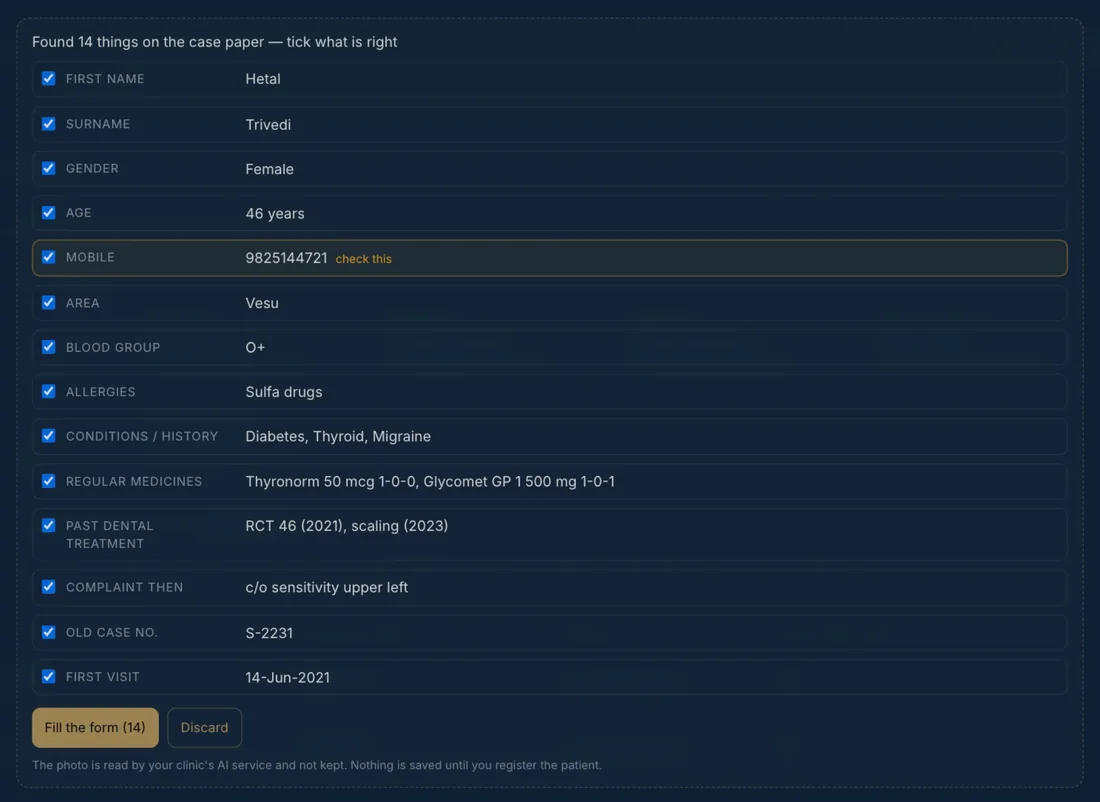
Photograph the old file and the New Patient form fills in — name to past treatment.
How it reads case papersLab reports
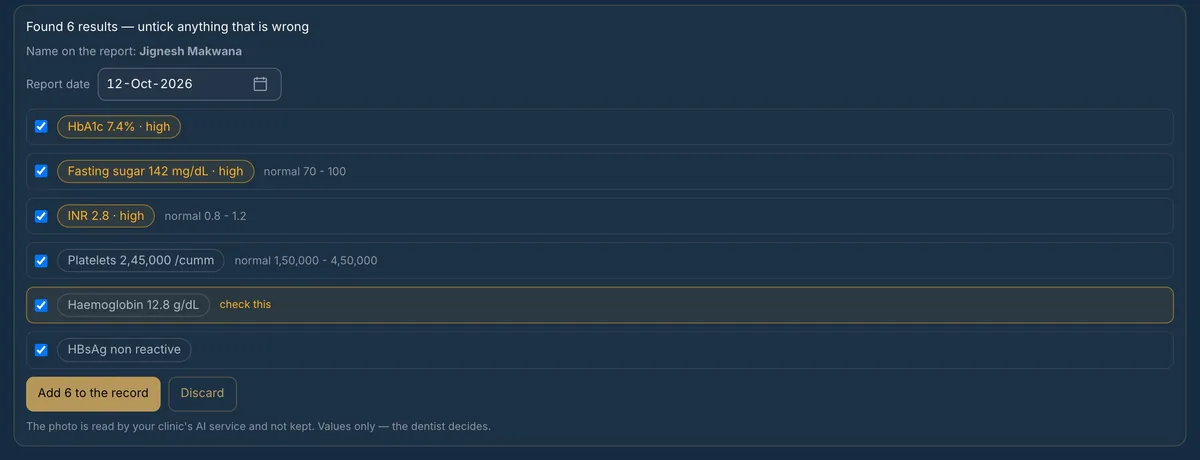
Sugar, HbA1c, INR, platelets and more, read from the report — out-of-range values flagged.
How it reads reportsAsk your data
“Is mahine kitne RCT hue?” — answered from your own records, with how it was counted.
How questions workWhatsApp assistant
Answers patients in their language and takes booking requests your team confirms.
Meet the AI Front DeskMedicine reader
Eighteen medicines? One photo.
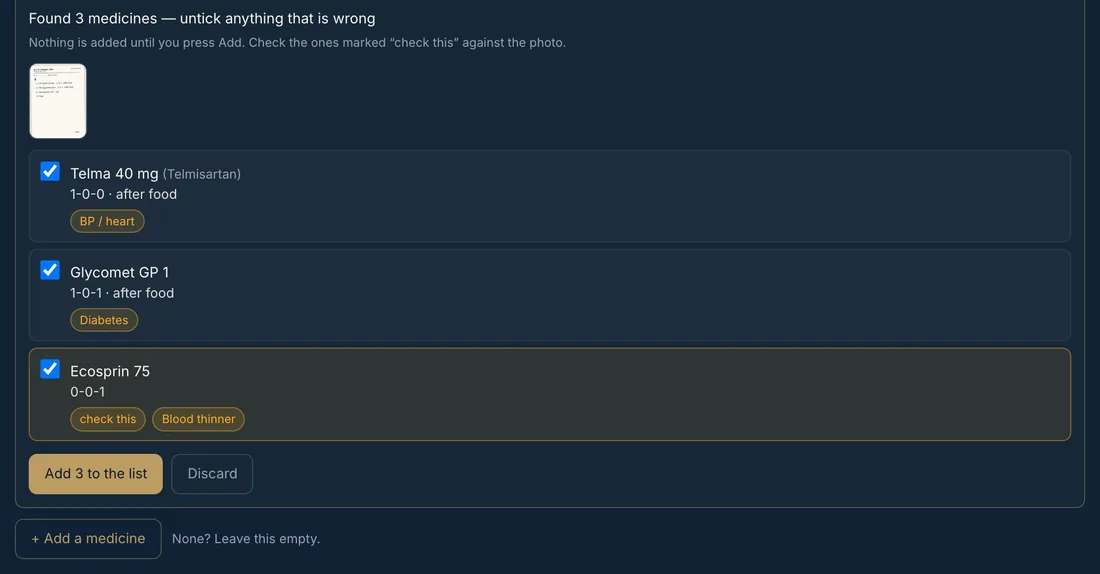
Older patients often take many medicines. Photograph the prescription, the strips or a handwritten list — or paste it — and each medicine becomes a row you can check in seconds.
- —Name, strength, morning–noon–night dose and before or after food — one row each
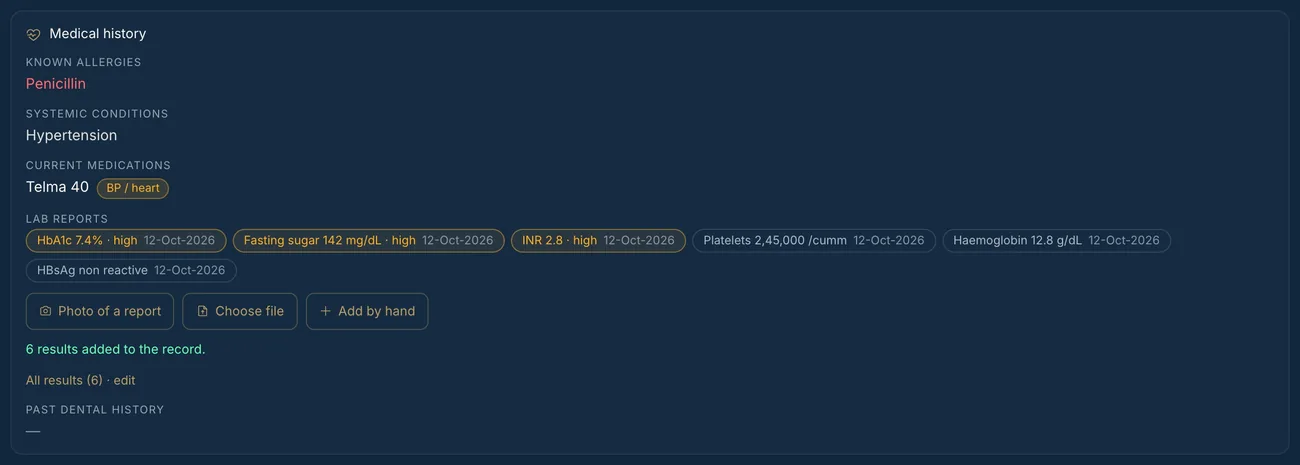
- —Blood thinners, bone medicines, steroids, diabetes and BP medicines are flagged on the row and on the patient’s record
- —Anything hard to read says “check this”; nothing is added until you press Add
- —Patients can do it themselves while registering in the patient app
Old case papers
Old files, new records. Without retyping.
Moving a clinic’s paper files into Odontra? At the top of the New Patient form, take a photo of the old case paper — up to three pages — and the form fills in.
- —Name, age, phone, area, blood group, allergies, medical history, regular medicines and past dental treatment
- —Every item has a tick — what the form already has is left alone unless you tick it
- —The old case number, first visit date and the complaint then are kept in Notes
- —The patient is saved only when you press Register
Lab reports
The report, on the record. The numbers that matter, flagged.
Before an extraction, surgery or implant the dentist looks at the same few numbers. Photograph the patient’s blood report and they are on the record, with the date of the report.
- —Sugar, HbA1c, INR, PT, aPTT, bleeding and clotting time, platelets, haemoglobin, WBC, creatinine, TSH, HBsAg, HIV and HCV
- —Flagged by the lab’s own high / low mark or range when printed — otherwise by a standard cut-off
- —If the name on the report is not this patient’s, it says so before anything is added
- —Out-of-range values show on the patient’s record and on the doctor’s list for the day
Ask your data
Ask your clinic a question. Get the number, not a guess.
Type it the way you would say it — in English, Hindi, Gujarati or Hinglish. The AI only works out what to count; the app counts it from your own records, with the same rules as your Reports, and shows how.
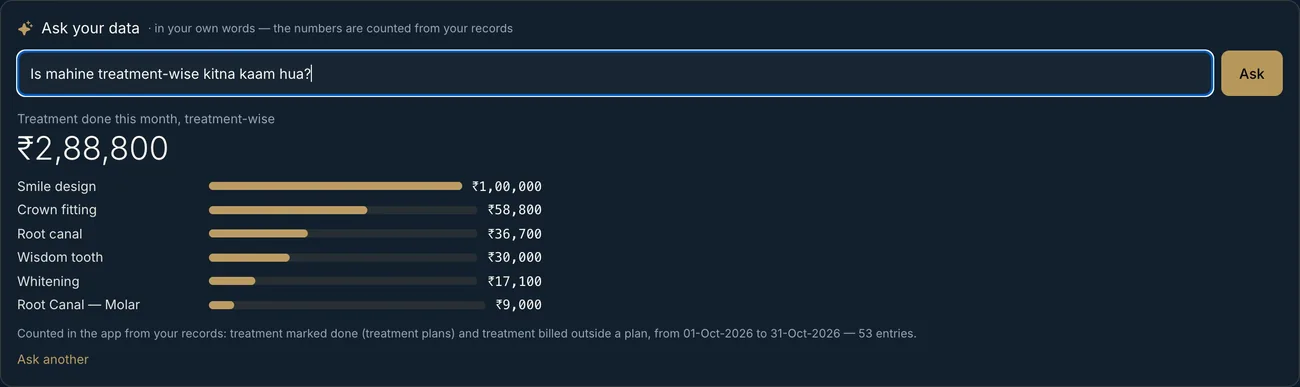
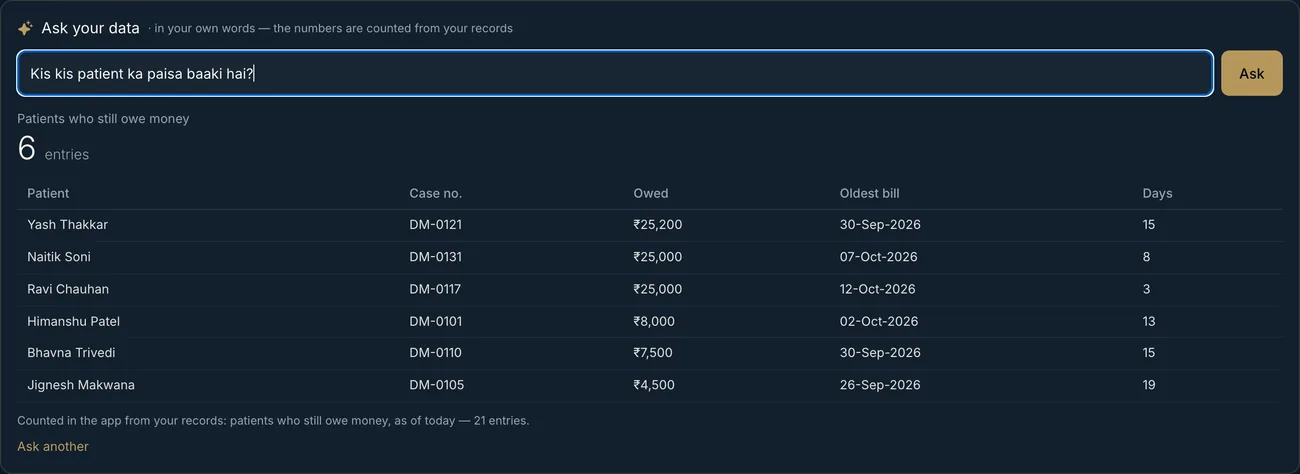
- —“Is mahine kitne RCT hue?”
- —“Kaunse patient ka paisa 3 mahine se baaki hai?”
- —“Last month UPI se kitna collection hua?”
- —“Is saal naye patient area-wise”
- —Only the question and your treatment, doctor and area names go to the AI — never a patient’s details
- —Questions that ask for advice or a diagnosis are politely refused
What the AI never does
Built to read and count — never to decide.
Clinical judgement and every saved record stay with your team.
Never suggests treatment
It reads, fills and counts. Diagnosis and treatment stay with the doctor.
Never saves on its own
Every draft has ticks. Nothing reaches a record until a person presses Add, Fill the form or Register.
Never keeps your photos
A photo is read by your clinic’s AI service and not stored by Odontra. Only what you tick is saved.
Never on by default
The AI stays off until your clinic connects its own OpenAI or Claude account and switches it on.
Reading medicines, case papers and lab reports and “Ask your data” come with the Pro and Premium plans; voice charting’s chart drafting and the WhatsApp assistant with Premium. See plans and AI limits.
See it read a real paper.
Book a demo and bring an old case paper, a prescription or a lab report.